
Easy Scanner App: Pro PDF Document & Photo Scan2.0 - App Store
You'll be able to see results in few seconds.
Publisher Description
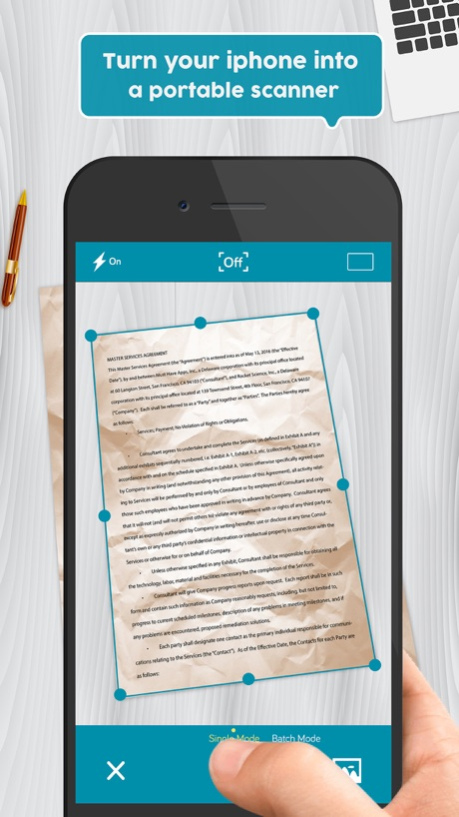
Download Easy Scanner and turn your iPhone or iPad into a full-featured and powerful scanner in a second!
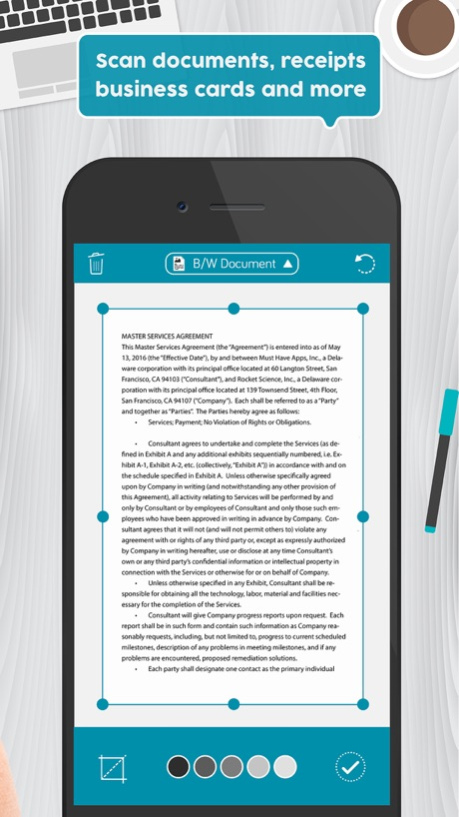
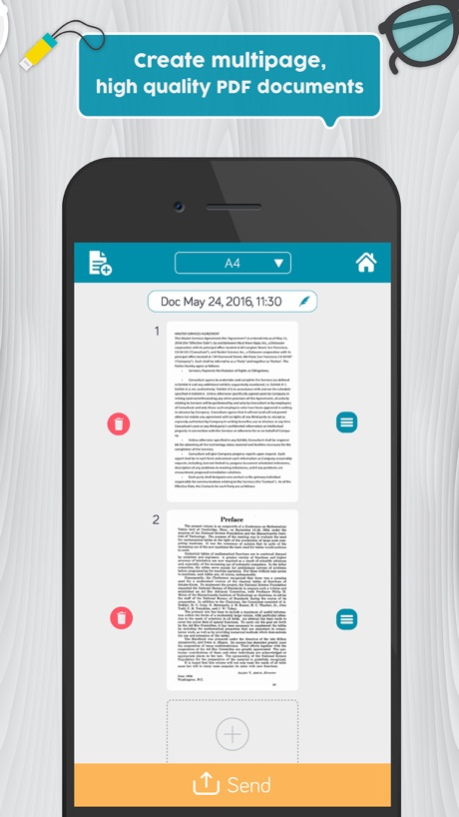
Easily scan your documents, books, receipts, photos, business cards and more on the go, and save them as multi-page, high-quality PDF or JPEG files
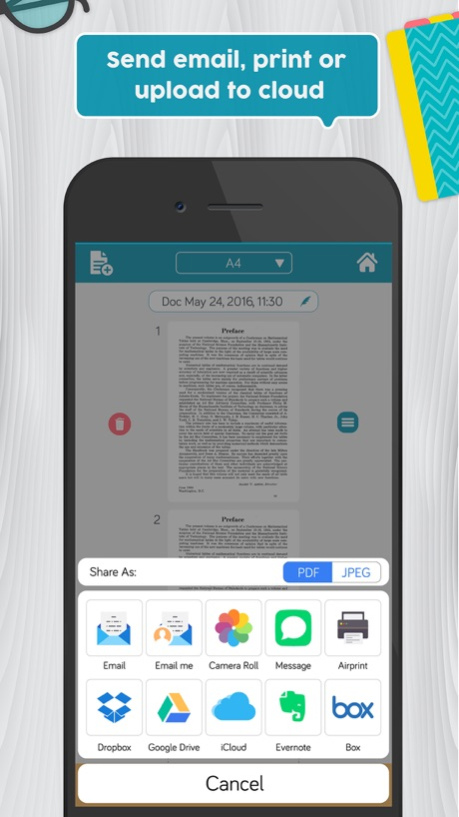
Scanned documents can be emailed, printed, exported to camera roll or uploaded to cloud services like Dropbox, Evernote, Google Drive, iCloud, Box.
Easy Scanner's built-in advanced scanning algorithm automatically detects borders of the page, corrects perspective and distortion, eliminate shadows and set a perfect contrast for text - black on white.
Easy Scanner FEATURES:
● Automatic document edge detection and perspective correction
● Advanced image processing with enhancement and color correction, noise removing and more
● Multipage scanning(Batch mode) and document managing
● Document naming, storage inside the app and smart search
● Document sorting by date and name
● Adding or reordering pages in document
● Page size options for PDF (Letter, Legal, A4, A5, Business Card)
● Email the scans as PDF or JPEG, save to Camera Roll
● Add signatures to scans
● Upload the scans to cloud services like Dropbox, Evernote, OneDrive, Google Drive and Box.
● Fax scans to 30 countries with one tap
● Printing via AirPrint
● Lock documents or PDF files with password
Documents are processed on the phone without internet connection. Your scans remain fully private always and not sent to a third-party server.
We are constantly improving Easy Scanner to create the best scanner app and help you digitize your documents easier and faster than ever. If you want to send us your feedback or have a problem with Easy Scanner, please contact us at support@easyscanner.co before submitting a comment to the App Store. Remember, we can't reply to your reviews on the App Store.
Mar 31, 2017
Version 2.0
This app has been updated by Apple to display the Apple Watch app icon.
Update time!
● Minor bug fix and performance improvements
● Sorry for the confusion caused by Pro/Free tags. Now, It's fixed.
Please don't forget to rate us on the App Store if you like using Easy Scanner. That means a lot to us!
You can contact us within the app or via support@easyscanner.co if you want to give us a feedback.
Stay tuned for more awesome features!
Happy Scanning :)
About Easy Scanner App: Pro PDF Document & Photo Scan
The company that develops Easy Scanner App: Pro PDF Document & Photo Scan is Must Have Apps. The latest version released by its developer is 2.0.
To install Easy Scanner App: Pro PDF Document & Photo Scan on your iOS device, just click the green Continue To App button above to start the installation process. The app is listed on our website since 2017-03-31 and was downloaded 0 times. We have already checked if the download link is safe, however for your own protection we recommend that you scan the downloaded app with your antivirus. Your antivirus may detect the Easy Scanner App: Pro PDF Document & Photo Scan as malware if the download link is broken.
How to install Easy Scanner App: Pro PDF Document & Photo Scan on your iOS device:
- Click on the Continue To App button on our website. This will redirect you to the App Store.
- Once the Easy Scanner App: Pro PDF Document & Photo Scan is shown in the iTunes listing of your iOS device, you can start its download and installation. Tap on the GET button to the right of the app to start downloading it.
- If you are not logged-in the iOS appstore app, you'll be prompted for your your Apple ID and/or password.
- After Easy Scanner App: Pro PDF Document & Photo Scan is downloaded, you'll see an INSTALL button to the right. Tap on it to start the actual installation of the iOS app.
- Once installation is finished you can tap on the OPEN button to start it. Its icon will also be added to your device home screen.
Program Details
System requirements
Download information
Pricing
Version History
version 2.0
posted on 2017-03-31
Mar 31, 2017
Version 2.0
This app has been updated by Apple to display the Apple Watch app icon.
Update time!
● Minor bug fix and performance improvements
● Sorry for the confusion caused by Pro/Free tags. Now, It's fixed.
Please don't forget to rate us on the App Store if you like using Easy Scanner. That means a lot to us!
You can contact us within the app or via support@easyscanner.co if you want to give us a feedback.
Stay tuned for more awesome features!
Happy Scanning :)
version 2.0
posted on 2017-03-31
Mar 31, 2017 Version 2.0
This app has been updated by Apple to use the latest Apple signing certificate.
Update time!
● Minor bug fix and performance improvements
● Sorry for the confusion caused by Pro/Free tags. Now, It's fixed.
Please don't forget to rate us on the App Store if you like using Easy Scanner. That means a lot to us!
You can contact us within the app or via support@easyscanner.co if you want to give us a feedback.
Stay tuned for more awesome features!
Happy Scanning :)
version 2.0
posted on 2017-03-31
Mar 31, 2017 Version 2.0
This app has been updated by Apple to display the Apple Watch app icon.
Update time!
● Minor bug fix and performance improvements
● Sorry for the confusion caused by Pro/Free tags. Now, It's fixed.
Please don't forget to rate us on the App Store if you like using Easy Scanner. That means a lot to us!
You can contact us within the app or via support@easyscanner.co if you want to give us a feedback.
Stay tuned for more awesome features!
Happy Scanning :)
Disclaimer
Official App Store Link
We do not host Easy Scanner App: Pro PDF Document & Photo Scan on our servers. We did not scan it for viruses, adware, spyware or other type of malware. This app is hosted by Apple and passed their terms and conditions to be listed there. We recommend caution when installing it.
The App Store link for Easy Scanner App: Pro PDF Document & Photo Scan is provided to you by apps112.com without any warranties, representations or guarantees of any kind, so access it at your own risk.
If you have questions regarding this particular app contact the publisher directly. For questions about the functionalities of apps112.com contact us.
